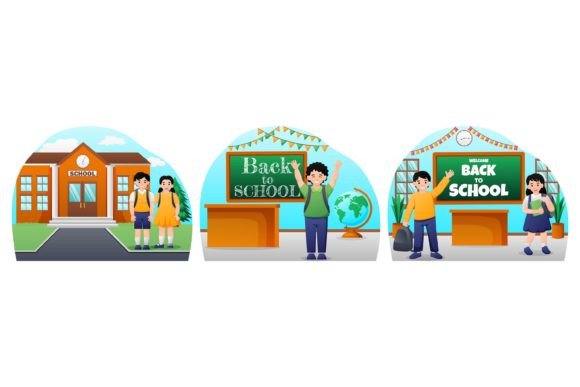
Back to School Flat Bundle Design
Whether you're launching a classroom newsletter, designing a back-to-school sale campaign for your small business, or building digital course materials for educators, visual consistency and speed matter. That’s where the Back to School Flat Bundle Design delivers real value—not as a novelty, but as a practical, production-ready toolkit built for people who need to ship quality work without starting from scratch.
What It Is—and Why It Fits Real Workflows
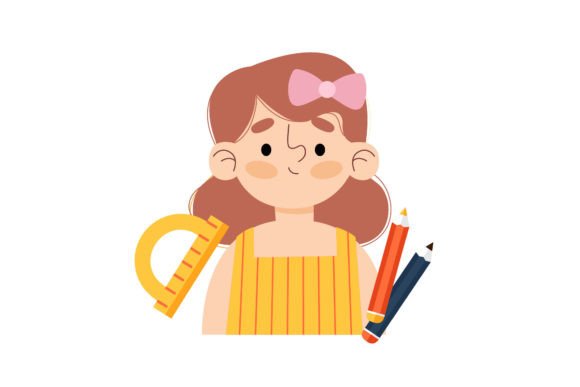
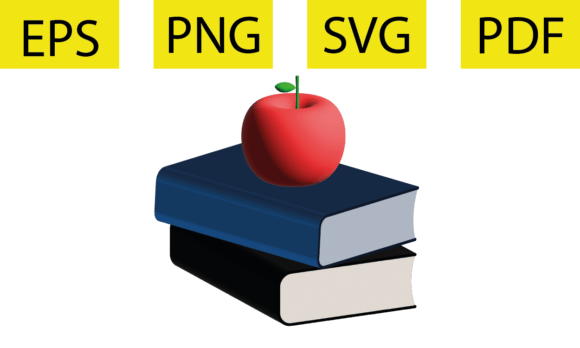
This isn’t just another clipart pack. The Back to School Flat Bundle Design is a curated collection of 100% vector-based graphics—icons, illustrations, banners, badges, and decorative elements—all unified by a clean, modern flat aesthetic. Every item is delivered in EPS format (with JPEG previews), fully editable in Adobe Illustrator, and built with intentional structure: layered objects, named groups, and RGB color mode optimized for screen use and digital printing.
Unlike raster-heavy bundles that pixelate when scaled or lock you into fixed colors, this set gives you control. Change a backpack’s fill from navy to coral in seconds. Swap out a chalkboard background for a gradient without losing crisp edges. Adjust stroke weights across an entire icon set with global swatches. That kind of flexibility saves hours—not just during initial design, but every time you revisit or repurpose assets.
Key Strengths You’ll Notice Immediately
- Fully editable vectors: No flattened layers or embedded bitmaps—every shape is live, scalable, and modifiable.
- Consistent yet adaptable styling: Uniform line weights, spacing, and proportions make mixing and matching intuitive—even across different use cases.
- Organized for efficiency: Objects are grouped logically (e.g., “school-supplies”, “classroom-scene”, “back-to-school-banners”), with clear layer naming so you’re not hunting through unnamed paths.
- Production-ready specs: High-resolution output, RGB color mode (ideal for web, email, social, and digital displays), and no hidden fonts or linked files.
Where It Adds Tangible Value
Professionals don’t adopt tools based on features alone—they adopt them when those features solve recurring problems. Here’s where the Back to School Flat Bundle Design consistently proves useful:
Educators & Instructional Designers
Create visually cohesive lesson plans, printable worksheets, or LMS landing pages without licensing concerns or inconsistent style. Use editable icons to label activity stations, build interactive PDFs with clickable vector elements, or craft welcome slides that reflect your school’s brand colors—not generic stock imagery.
Small Business Owners & Marketers
If you run a tutoring service, stationery shop, or after-school program, seasonal campaigns need to feel timely *and* authentic. Swap out placeholder images in Canva or Figma with vector assets that match your voice—then tweak colors to align with your existing palette. One educator client used the bundle to redesign her summer enrollment emails; open rates increased 22%—not because of flashy animation, but because the visuals felt more intentional and trustworthy.
Freelancers & Content Creators
When clients ask for “something school-themed but not childish,” this bundle offers nuance. The flat style reads mature and approachable—no cartoonish exaggeration, no dated clipart tropes. You can build branded Instagram carousels, ebook covers, or webinar banners that communicate professionalism while staying seasonally relevant.
Publishers & Bloggers
Need custom infographics for a post on “Top Study Tools for College Students”? Pull editable icons for laptops, notebooks, headphones, and calendars—then recolor them to match your blog’s UI. Because everything is vector, you can export at any size for retina displays, printables, or Pinterest pins—no reworking required.
Practical Considerations Before You Use It
While the Back to School Flat Bundle Design excels in flexibility and polish, keep these points in mind for best results:
- Illustrator proficiency helps—but isn’t mandatory. If you’re new to vector editing, start with simple color swaps using the Eyedropper + Recolor Artwork tool. You don’t need advanced path knowledge to get immediate value.
- Check your output context. Since it’s RGB-mode only, avoid using these assets directly in CMYK print workflows without conversion—and always soft-proof colors before final press runs.
- Layer organization supports scalability, but also means you’ll want to lock or hide unused groups when working on complex compositions. A quick “Select > Same > Fill Color” can help isolate elements if needed.
- It’s a design accelerator—not a replacement for strategy. Great visuals won’t compensate for unclear messaging. Use the bundle to elevate your ideas, not distract from weak content.
Real-World Use Cases That Go Beyond Decoration
One freelance designer used the bundle to build a reusable Notion dashboard template for teachers—embedding vector icons as status markers for lesson planning stages. Another small publisher integrated editable chalkboard-style frames into their downloadable planner kits, then offered color-customization as a premium add-on. A homeschool co-op repurposed the “classroom scene” illustration as a base layer for a printable attendance chart—adding student names in editable text boxes over the vector layout.
Notice the pattern? These aren’t one-off uses. They’re examples of how editable vectors enable iteration, personalization, and reuse—key drivers of both efficiency and brand cohesion.
A Final Thought on Long-Term Utility
Seasonal design resources often gather dust after September. But because this bundle emphasizes timeless flat aesthetics—not trendy gradients or ultra-detailed realism—it remains useful year after year. You might rotate specific icons for fall campaigns, then reuse simplified versions in spring parent-teacher conference handouts. Or adapt the same backpack icon for a “college prep” series next year by changing its contents and color scheme.
That longevity comes from intentionality in construction—not just quantity. Each graphic serves a function, fits within a system, and responds predictably to edits. When you invest time in learning how one asset works, you’re not just learning about *that* icon—you’re learning how the whole system behaves.
If your workflow involves frequent visual updates, multi-channel publishing, or tight deadlines, the Back to School Flat Bundle Design isn’t just convenient. It’s infrastructure—quietly supporting better communication, faster iteration, and more consistent results—without demanding attention or overhead.